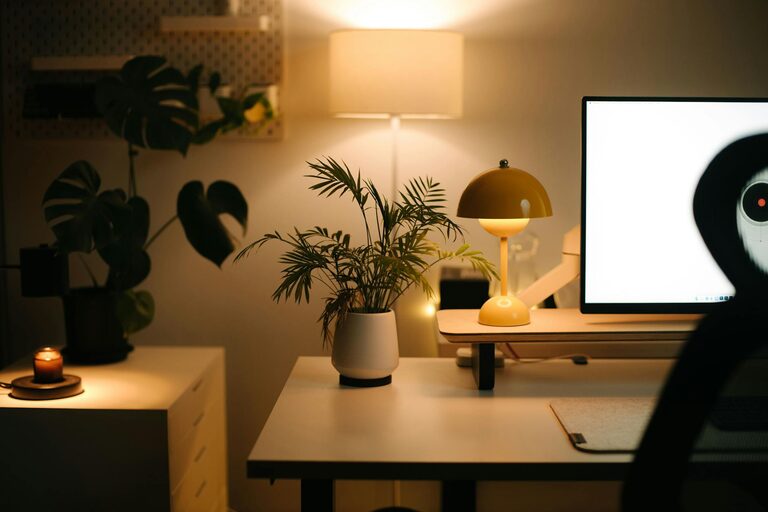
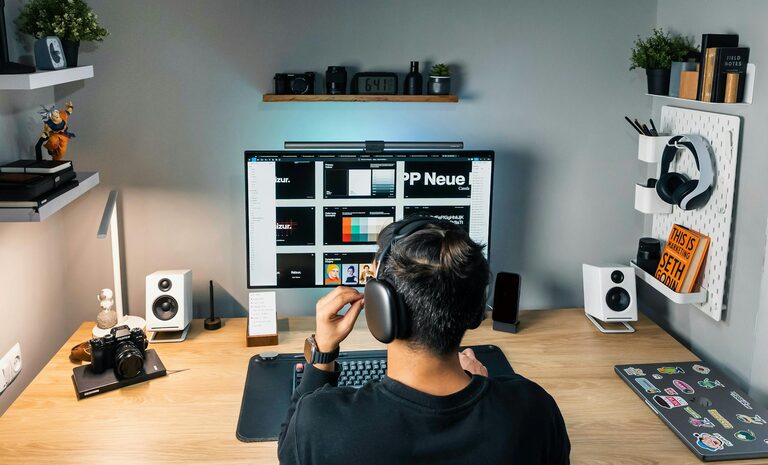
Creating a home office that is both comfortable and productive is essential for anyone working from home. A well-arranged workspace can improve focus, reduce stress, and make your working hours more enjoyable. Whether you’re new to remote work or looking to upgrade your current setup, this guide provides practical advice for crafting a home office environment that supports your best work.
Choose the Right Location
Selecting the ideal spot for your home office is the first step. Aim for a space that is quiet, has good natural light, and is away from distractions when possible.
– Quietness: Noise can disrupt concentration. Find a room or area with minimal background noise.
– Natural light: Natural light boosts mood and alertness. Position your desk near a window if feasible.
– Space: Ensure there is enough room for your desk, chair, and any equipment you need, without feeling cramped.
If space is limited, consider using a folding desk or converting a corner of a room with room dividers to create a dedicated work area.
Invest in Ergonomic Furniture
Comfort is key to staying productive throughout the day. Invest in furniture designed to support your posture and reduce strain.
– Chair: Choose an ergonomic office chair with adjustable height, lumbar support, and comfortable cushioning.
– Desk: A desk at the right height helps prevent neck and shoulder pain. Adjustable desks can allow you to switch between sitting and standing.
– Monitor placement: Position your monitor at eye level to avoid neck strain. Using a monitor stand or stack of books can help.
Remember to maintain good posture while sitting and take regular breaks to move and stretch.
Organise Your Workspace
A tidy and organised workspace helps reduce distractions and makes it easier to find what you need.
– Declutter regularly: Remove unnecessary items from your desk and floor space.
– Storage solutions: Use shelves, drawers, or organisers to store documents, stationery, and gadgets neatly.
– Cable management: Use clips, ties, or boxes to keep cords tidy and out of the way.
Visual clarity supports mental clarity, so keeping your workspace organised can boost your focus.
Control Lighting and Temperature
The right lighting and temperature help create a comfortable atmosphere conducive to productive work.
– Lighting: Combine natural light with good quality artificial lighting. Avoid harsh overhead lights; opt for adjustable desk lamps that reduce eye strain.
– Temperature: Keep the room at a comfortable temperature, typically between 18–22°C. Use fans, heaters, or air conditioning as needed, but avoid drafts.
Adjust lighting and temperature to suit your preferences and the time of day.
Minimise Distractions
Working from home can present many distractions. Mitigate these to maintain concentration.
– Set boundaries: Discuss your work hours with family or housemates to limit interruptions.
– Use noise-cancelling headphones: These can help block out background sounds.
– Limit digital distractions: Close unnecessary browser tabs, mute notifications, and consider apps to block distracting websites during work hours.
Creating a focused environment helps you complete tasks efficiently.
Personalise Your Workspace
Adding personal touches can make your home office more inviting and motivating.
– Plants: Indoor plants improve air quality and add a calming green element.
– Artwork or photos: Display images that inspire or relax you.
– Colours: Choose wall colours or accessories that uplift your mood without being overly stimulating.
Personalisation should enhance comfort without adding clutter.
Establish a Routine and Boundaries
The environment is important, but how you use your space daily matters too.
– Set work hours: Define when you start and finish working to maintain balance.
– Take breaks: Schedule regular breaks to stretch, rest your eyes, and refresh your mind.
– End-of-day ritual: Have a routine to ‘switch off’ from work, such as tidying your desk or shutting down your computer.
Routines reinforce the purpose of your workspace and help separate work and home life.
Utilise Technology Wisely
Use tools and technology to support productivity but avoid becoming overwhelmed.
– Reliable internet: A stable connection is essential for virtual meetings and research.
– Quality peripherals: Use a good keyboard and mouse, and consider separate screens if your work requires multitasking.
– Cloud storage: Save files in the cloud for accessibility and backup.
Keep software updated and organise files systematically to save time.
Summary
Creating a comfortable and productive home office involves thoughtful choices about location, furniture, lighting, and organisation. Minimising distractions, personalising your space, and maintaining healthy routines will help you work more efficiently and enjoyably. With these tips, your home office can become a place that supports your success and wellbeing.