
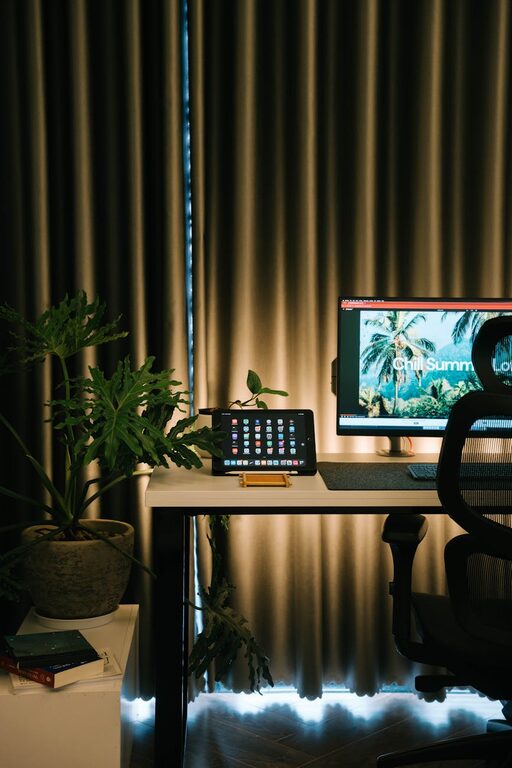
Creating a home workspace that fosters both relaxation and productivity can significantly improve your work-from-home experience. Whether you’re freelancing, managing a business, or working remotely for an employer, having the right environment can help you focus, reduce stress, and maintain a healthy work-life balance.
In this post, we’ll explore practical tips to design a home workspace that feels inviting and efficient, no matter the size of your space or your budget.
Choose the Right Location
The first step to a productive workspace is picking the right spot in your home. Ideally, select a quiet area with minimal distractions. If you’re limited on space, even a corner in the living room or bedroom can be transformed with a little creativity.
Consider natural light
Working near a window has multiple benefits. Natural light improves mood, reduces eye strain, and keeps you alert. If blinds or curtains are within reach, adjust them to control glare on your screens.
Minimise distractions
Try to avoid areas where household traffic is heavy or where background noise is common. Using a room divider or a screen can help create a separate zone dedicated to work.
Invest in Comfortable and Functional Furniture
Comfort is key when you’ll be spending several hours a day at your desk.
Ergonomic chair and desk
Choose an ergonomic chair with adjustable height and good back support to protect your posture. Your desk should allow your arms to rest comfortably while typing, ideally with enough space for your equipment and paperwork.
Consider standing options
For variation, a height-adjustable desk or a standing desk converter lets you alternate between sitting and standing, reducing fatigue.
Keep Your Workspace Organised
Clutter can be distracting and disrupt your workflow, so keeping your workspace tidy is essential.
Storage solutions
Use shelves, drawers, or storage boxes to keep supplies organised. Label containers to find items easily and reduce desk mess.
Cable management
Invest in cable organisers or clips to keep wires neat and prevent them from tangling.
Daily clean-up routine
At the end of each workday, spend a few minutes clearing your desk to prepare for a fresh start tomorrow.
Personalise the Space
Adding personal touches can make your workspace more enjoyable and reduce stress.
Plants and greenery
Indoor plants improve air quality and create a calming atmosphere. Choose low-maintenance varieties like succulents or spider plants.
Artwork or photos
Display pictures or artwork that inspire or make you happy. However, avoid overly distracting visuals.
Colours and textures
Incorporate colours that soothe you, such as soft blues or greens. Textured cushions or rugs also add warmth to the space.
Use Effective Lighting
Proper lighting reduces eye strain and keeps you alert.
Layered lighting
Combine natural daylight with task lighting like a desk lamp, and ambient lighting such as ceiling or wall lights. Choose bulbs with adjustable brightness and colour temperature to suit the time of day.
Position your lighting
Place your desk lamp so that it illuminates your work area without creating glare on your screens.
Create Healthy Habits and Boundaries
Your workspace setup goes hand in hand with how you manage your daily routine.
Set working hours
Define clear start and finish times for your workday to prevent overworking and burnout.
Take regular breaks
Use techniques like the Pomodoro method—working for 25 minutes with 5-minute breaks—to maintain focus and rest your eyes.
Move around
Stretch or take a short walk during breaks to improve circulation and reduce stiffness.
Minimise Noise and Distractions
If external noise is an issue, consider these solutions:
– Use noise-cancelling headphones
– Play soft background music or white noise
– Add soft furnishings like curtains or rugs to absorb sound
Technology and Connectivity
Ensure your technology supports your productivity.
Reliable internet
A strong and stable internet connection is vital for video calls, file sharing, and research.
Efficient equipment
Invest in a good-quality keyboard, mouse, and monitor. If space allows, a second screen can boost efficiency.
Backup power
Consider a surge protector or an uninterruptible power supply (UPS) for uninterrupted work during power issues.
Final Thoughts
Designing a relaxing and productive home workspace requires a blend of thoughtful organisation, comfort, and personalisation. By making deliberate choices about your environment and habits, you can create a space where work feels less like a chore and more like an enjoyable part of your day.
Remember, your workspace should serve your needs—be adaptable and evolve as you find what works best for you. Start with small changes and gradually build the perfect balance between relaxation and productivity at home.